
How Creyos EHR integration delivers cognitive assessment reports to the chart
In many practices, a completed cognitive assessment still reaches the patient's chart by hand. Staff download the report, then print and scan it or upload it to the electronic health record (EHR), one patient at a time. Each step adds administrative work and creates another point where a report can be misplaced or filed late.
An estimated 91% of office-based physicians had adopted a certified EHR as of 2024, which makes the EHR the central record for most practices. As practices add digital health tools, each one that sits outside the EHR becomes another place for clinicians to check. A cognitive assessment platform is most practical when its results reach the EHR technology and practice management solution a practice already runs.
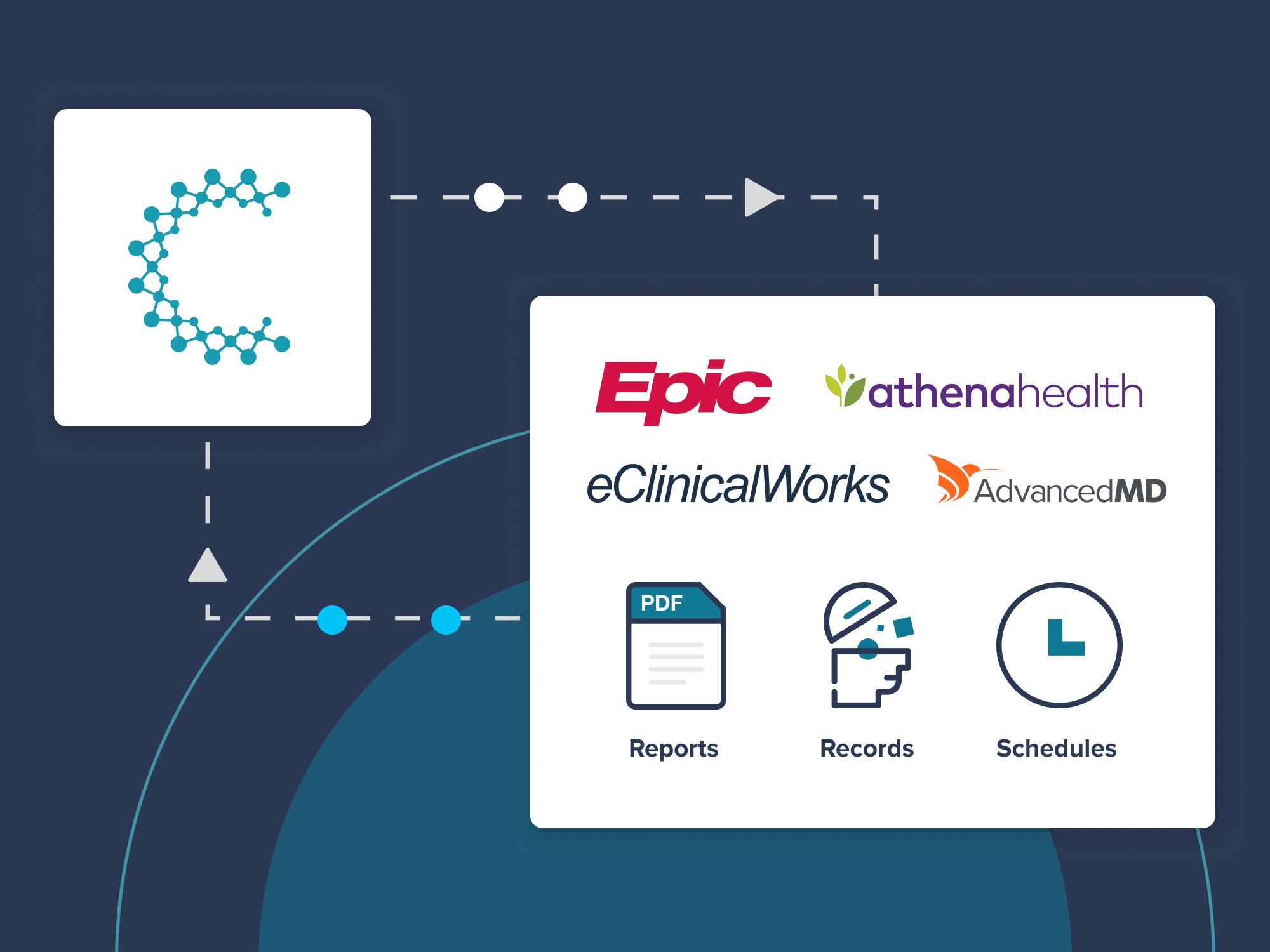
Creyos EHR integration removes those steps through integration with Epic, eClinicalWorks, athenahealth, and AdvancedMD, among other EHR platforms. Cognitive and behavioral health assessment reports sync automatically into the patient's chart, where clinicians already work. The integrations are available to all Creyos customers, from independent and small-group neurology, psychiatry, and primary care practices to healthcare systems running Epic. Once setup is complete, no manual uploading is required, and the integration fits into existing workflows.
Article Highlights
Creyos EHR integration delivers cognitive and behavioral health assessment reports to the patient's chart automatically, with no manual uploading once setup is complete.
- Creyos integrates with Epic, eClinicalWorks, athenahealth, and AdvancedMD, among other EHR platforms, through custom-built integrations or through Redox, an interoperability company, depending on the EHR.
- Setup is a one-time process. Patient records are then matched between systems, and every new report syncs to the correct chart.
- The integrations are available to all Creyos customers, from independent and small-group practices to healthcare systems running Epic.
EHRs that integrate with Creyos
Creyos has pre-built integrations with Epic, eClinicalWorks, athenahealth, and AdvancedMD, supporting cognitive assessment for hundreds of thousands of patients across these platforms. Depending on the EHR, Creyos connects through custom-built integrations or through Redox, an interoperability company that connects third-party platforms with EHRs across the healthcare industry. Through Redox, Creyos can connect with a growing number of EHR platforms without requiring practices to take on custom development work.
How Creyos EHR integration works
Each EHR has its own setup steps, but the core components are the same:
- One-time setup: Integration is set up as part of a Creyos contract through a short process with the EHR: an authorization form, a testing session, or an activation code, depending on the platform.
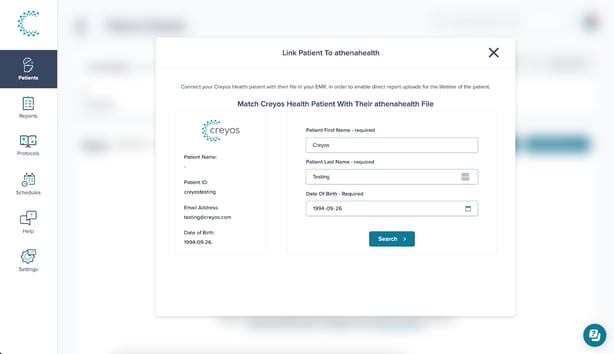
- Patient matching: Creyos matches patient information between the two systems, so each report links to the correct chart.
- Assessment: Clinicians assign assessments in Creyos, and patients complete them in clinic or remotely.
- Automatic delivery: Completed reports are delivered automatically to a designated location in the patient's chart. Every report after that syncs on its own.
What EHR integration changes for your practice
Less manual work for staff
Moving a report into the EHR by hand is a chain of manual tasks: download, print or save, scan, upload, and file it to the right section of the chart. With integration, reports sync automatically, and no one has to toggle between the Creyos portal and the EHR to move data.
At GT Healthcare, a telehealth-first mental health and family medicine practice in California, the EHR integration moves results into the chart automatically and returns 5 to 10 minutes per patient to front office staff. For a practice seeing 8 to 10 patients a day, those minutes return to patient management and care.
Fewer documentation errors
Manual entry introduces risk at every handoff: a report filed to the wrong patient, a score keyed in incorrectly, or a result that sits unfiled while follow-up waits. When critical data reach the chart late or in the wrong place, the effects carry into clinical decisions, patient safety, and patient outcomes.
Automatic transfer reduces that risk. Patient matching links each report to the correct record, and results land in a structured location in the chart. That consistency reduces the risk of misplaced reports or delayed follow-up and supports well-documented care.
One record for the whole care team
Results kept in a separate portal depend on someone remembering to check that portal. With integration, cognitive results appear in the chart the care team already uses, alongside lab results, imaging, and clinical notes. Primary care physicians, specialists, and other healthcare professionals who share patient data through that chart work from the same cognitive results, which supports care coordination across handoffs, referrals, and follow-up.
For a neurologist tracking cognitive change across repeat assessments, or a psychiatrist documenting an ADHD evaluation, results sit in the same record as the rest of the patient's medical history. At the point of care, every member of the team has the relevant information for a better-informed decision.
Security and data exchange
Creyos maintains HIPAA compliance and is SOC 2 Type II compliant. Assessment reports are electronic health information containing sensitive patient data, so data security and data privacy apply at every step of the transfer from Creyos to the chart.
Integrations built through Redox securely exchange clinical data between systems while maintaining the security measures, reliability, and standards required for healthcare data exchange. These connections rely on established standards for EHR interoperability, such as HL7 messaging and Fast Healthcare Interoperability Resources (FHIR). These standards give systems a shared structure for data that would otherwise arrive in different data formats.
Getting started with Creyos EHR integration
The next step depends on whether your practice already uses Creyos.
Already using Creyos?
Add EHR integration to your account so every new report syncs to the patient's chart.

New to Creyos?
See how Creyos cognitive assessment and EHR integration fit your practice.


Written by Anthony Chung, Director of Product
Anthony Chung is Director of Product at Creyos, where he has spent over five years building cognitive assessment tools for clinicians and health systems. He leads product strategy and the roadmap, with a focus on AI-driven workflows, EHR integrations, and enterprise health care solutions.